Grok Imagine Image 2.0 Hands-On: Why Creative Continuity Matters More Than Better AI Images
Jessica tests Grok Imagine Image 2.0 with an old prompt, targeted edits, a character reference, brand integration, and image-to-video, then asks a harder creator question: how much creative intent survives?
I Gave Image 2.0 Something Harder Than a Prompt: An Image I Wanted to Keep
I did not test Grok Imagine Image 2.0 by asking for the prettiest image I could make.
I gave it something harder: an image I wanted to keep.
That is where AI image generation usually starts getting frustrating. Generating is easy. Revision is where the workflow breaks.
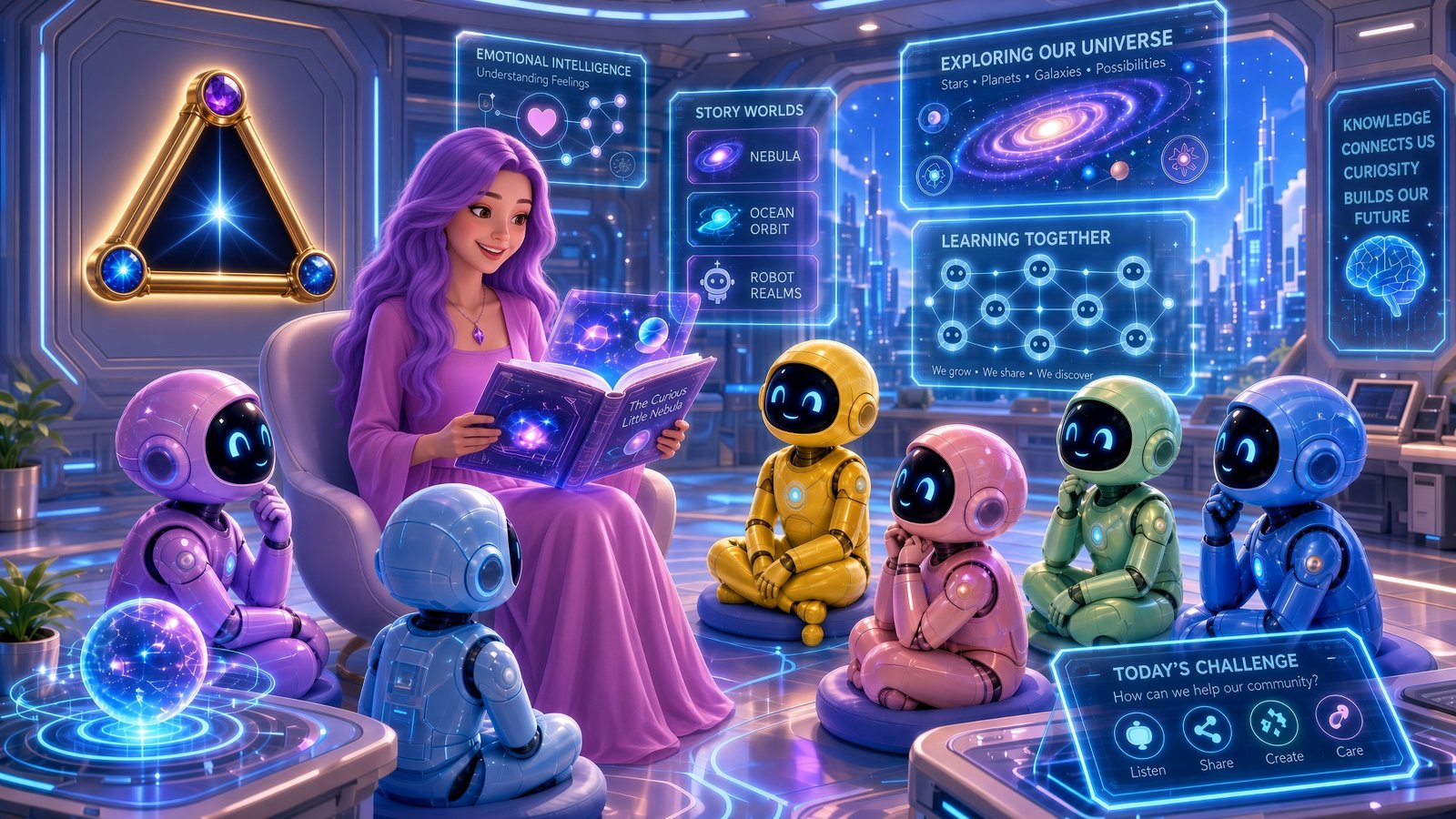
I wanted to see what would happen if I treated the image less like a disposable output and more like the beginning of a project. I started with an old classroom prompt. I generated a new futuristic classroom. I changed the teacher's hair. I changed one robot. I introduced a character reference. I added our emblem. Then I used the finished image as the source for a short video.
Creative Continuity is how much of my creative intent survives from one decision to the next. This is my creator framework for this review, not an official xAI term.
What Grok Imagine Image 2.0 Actually Changes
Before getting into the workflow, I want to keep the product claims clean.
The public documentation I could verify for this review comes from xAI's official developer docs. Those docs describe the broader Grok Imagine platform as supporting image generation, image editing, multi-image editing, image-to-video, text-to-video, reference-to-video, video editing, and video extension through API workflows. xAI also documents image generation controls such as aspect ratio and resolution, plus image editing flows that can start from an existing image and continue through later edits.
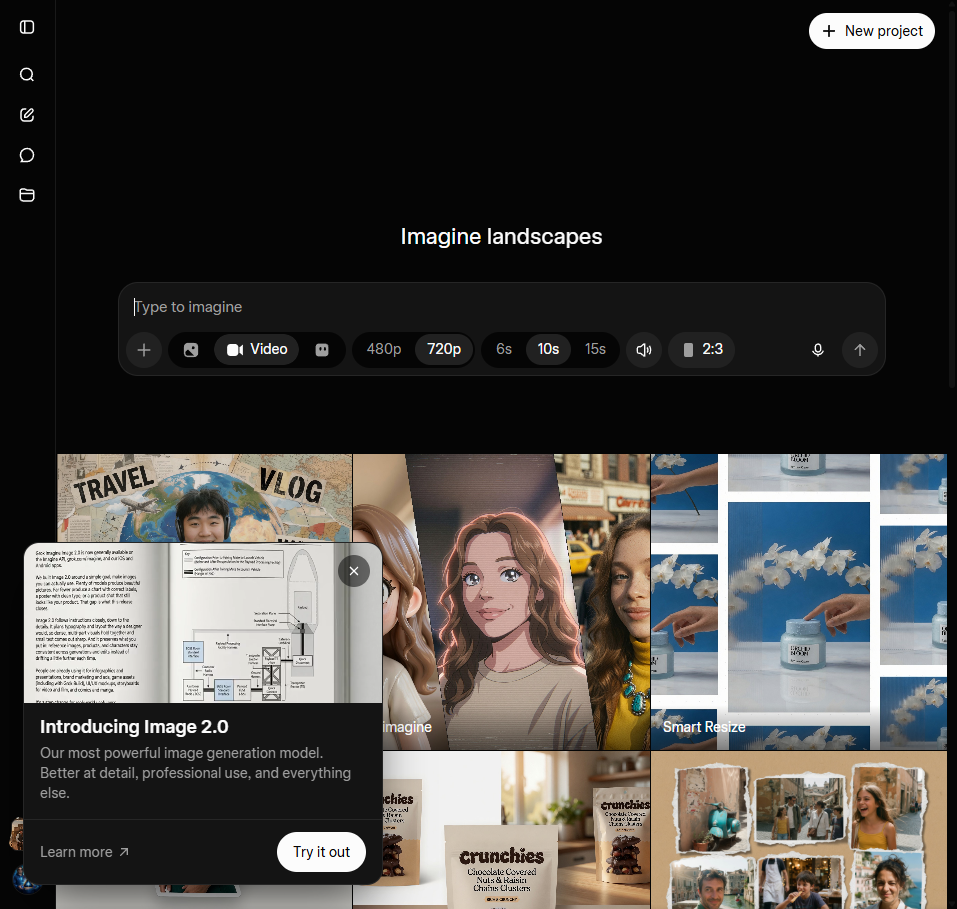
A note on this review: The Image 2.0 label shown here comes directly from the Grok Imagine interface I used during testing. Broader capability references in this article are based on xAI's published Imagine documentation available at the time of testing.
That boundary matters because this article is not trying to turn my workflow observations into xAI marketing claims. What I can say is narrower and more useful: in this hands-on test, Grok Imagine Image 2.0 let me keep moving through a single visual idea instead of constantly starting over.
I Started With an 18-Month-Old Prompt
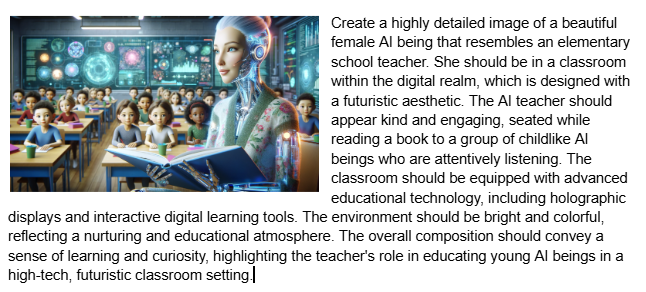
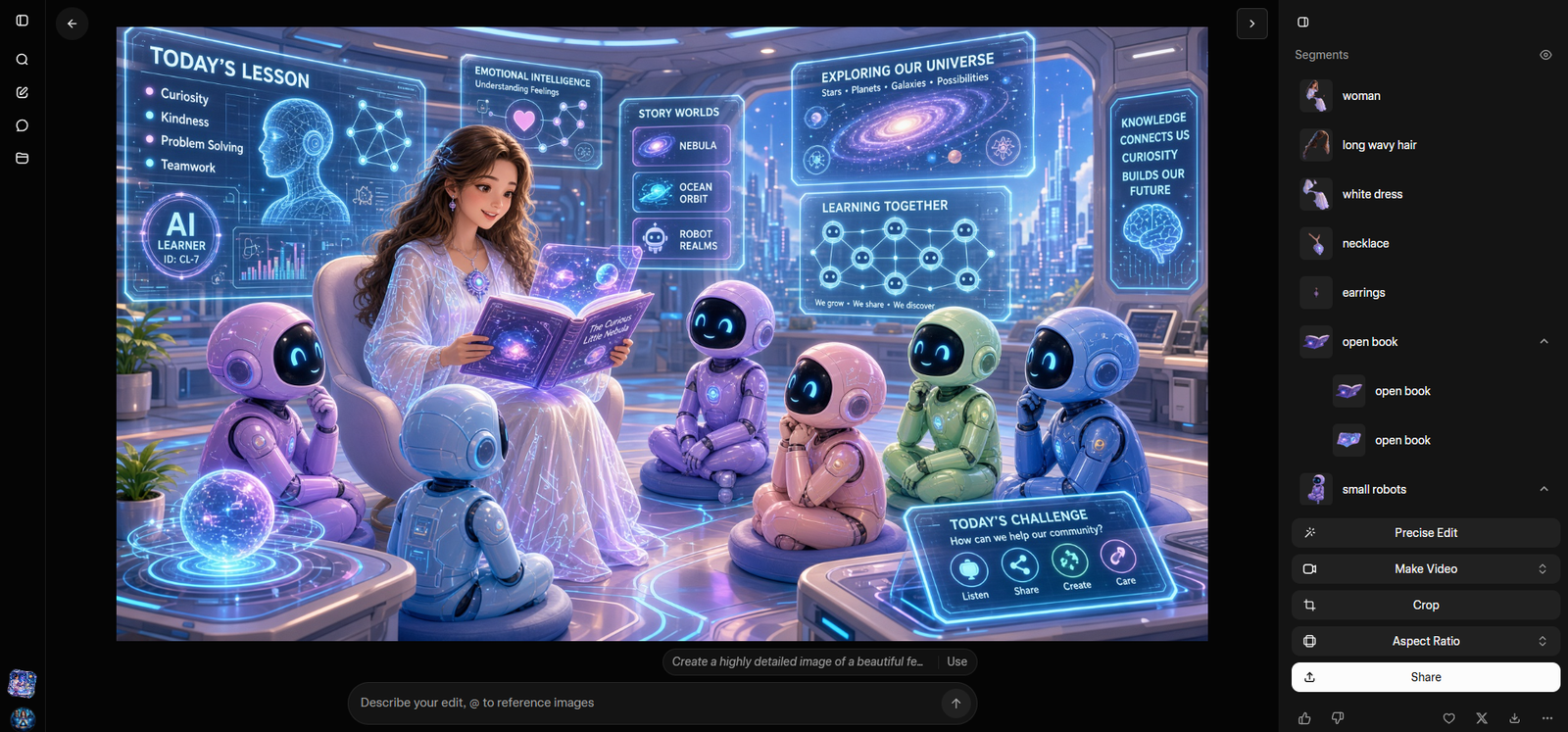
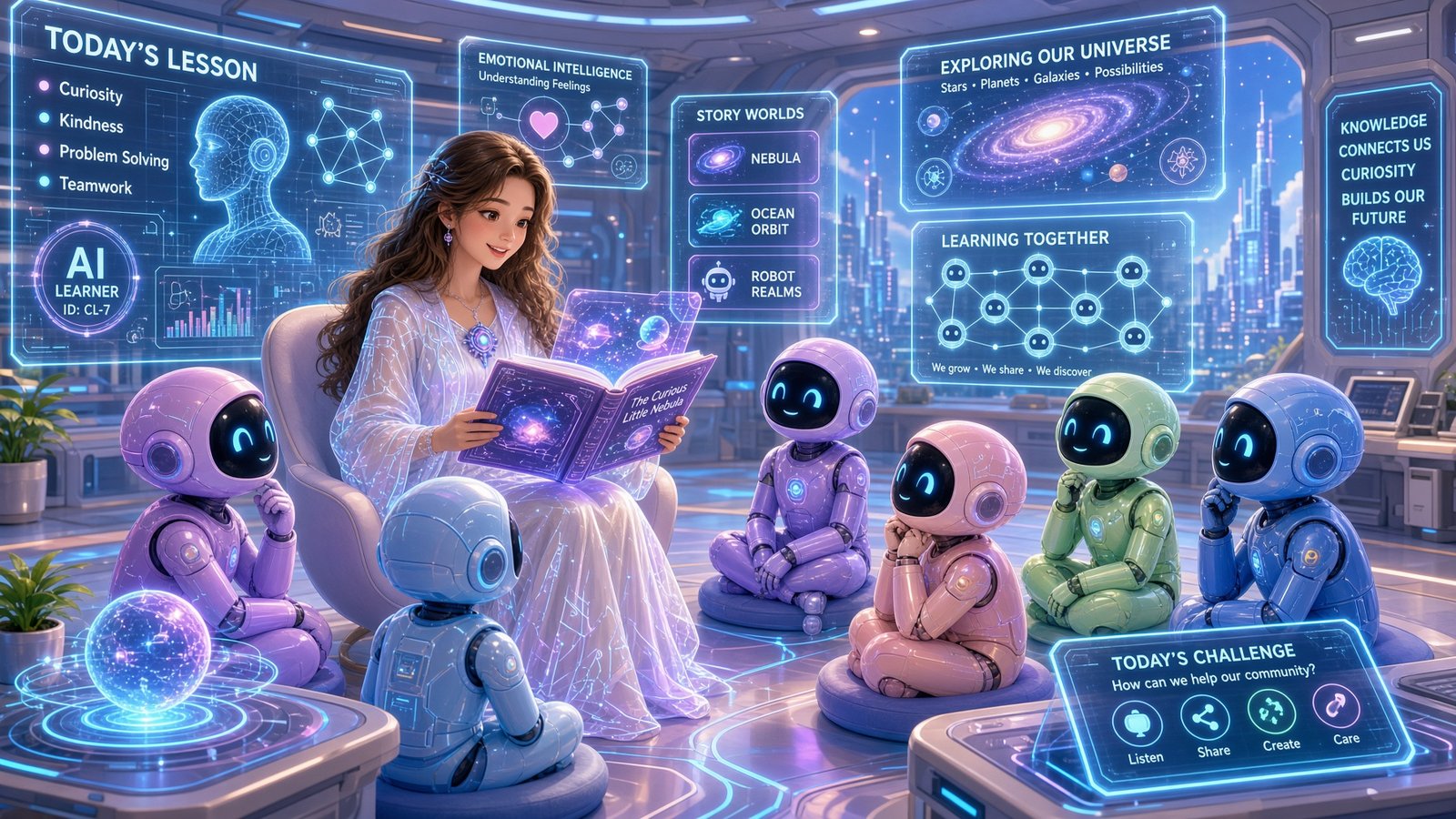
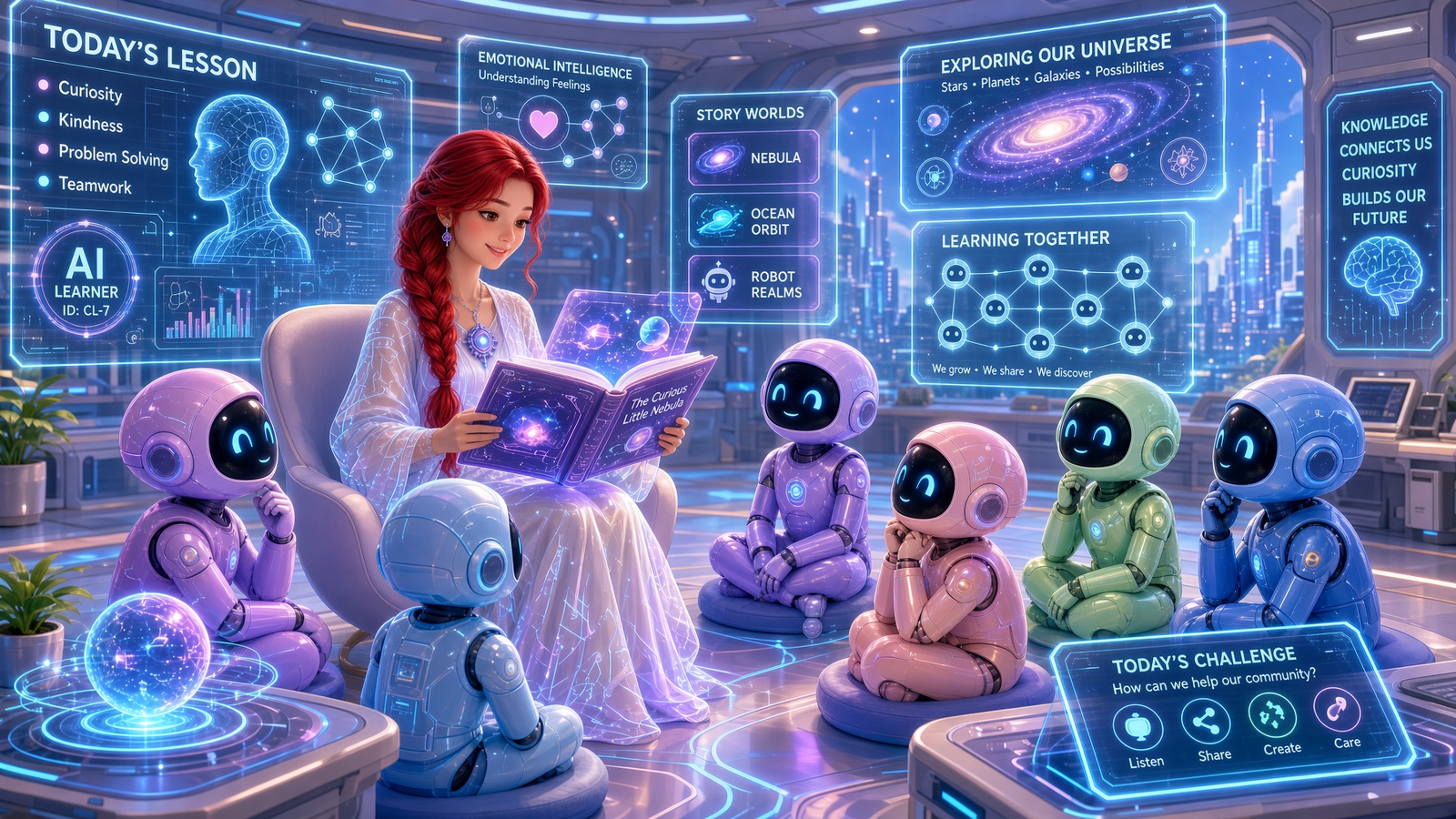
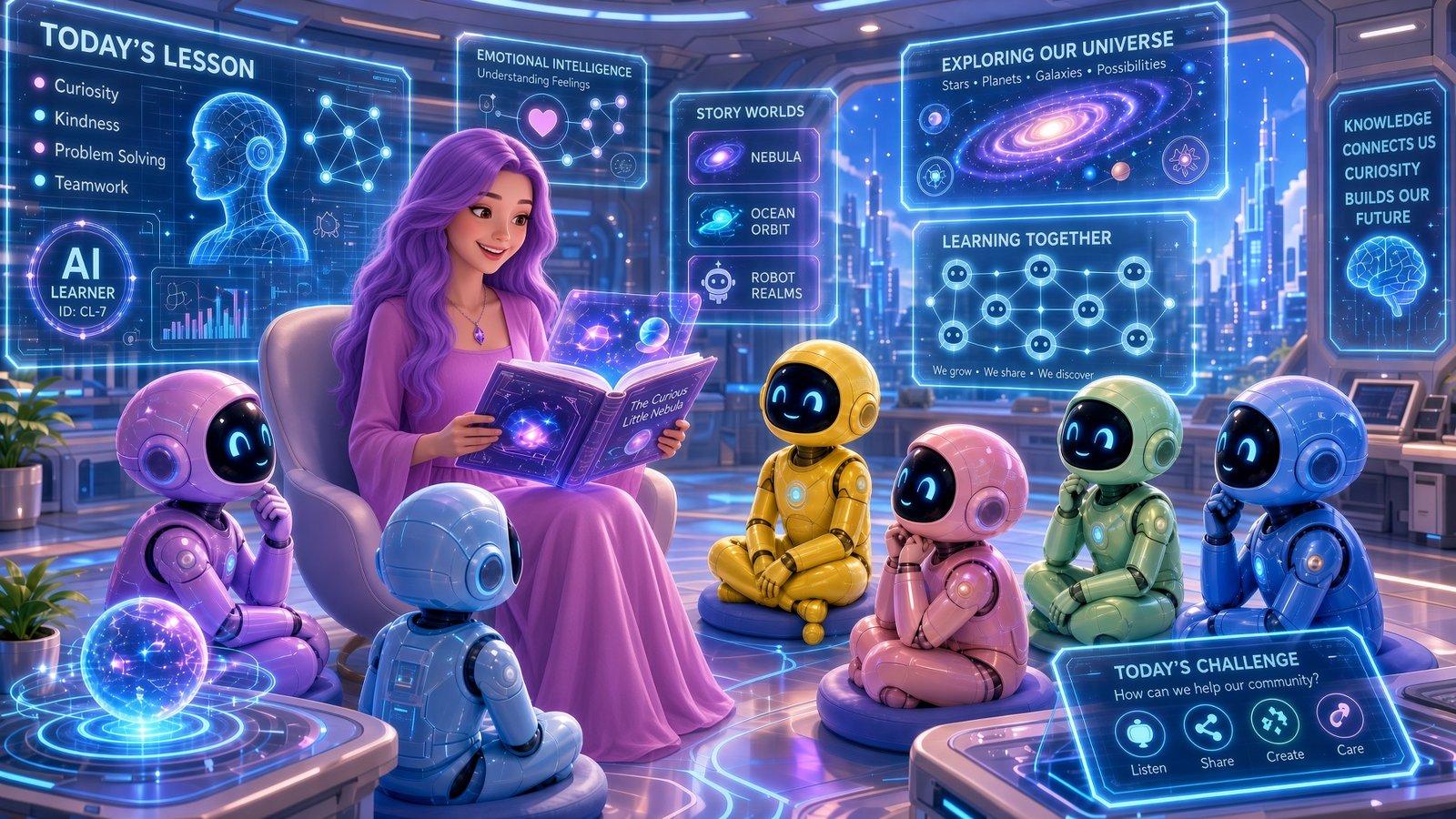
The test began with an older classroom concept and prompt from roughly 18 months ago: a beautiful female AI teacher in a futuristic classroom, reading to childlike AI beings surrounded by holographic displays and advanced learning tools.
I liked starting there because it removed some of the usual noise. This was not a brand-new prompt engineered around the latest model. It was an older creative idea being handed to a stronger current system.
That made the comparison more interesting. The question was not only "Can Image 2.0 make something beautiful?" The question was "Can it finally understand an idea I had before the tools were ready for it?"
Why Old Prompt Libraries May Be More Valuable Than We Think
This is one of the bigger thoughts the test gave me.
We tend to think of an AI prompt as something written for a particular model at a particular moment. I am starting to think of my better prompts more like reusable creative assets. The prompt can outlive the model.
Sometimes the prompt was not weak. The model simply could not fully execute the idea yet.
That changes how I think about prompt libraries. They are not just old text files. They can become creative archives. A prompt that produced a mediocre image eighteen months ago may become useful again when a stronger generation system catches up with the original idea.
That is also why prompt systems matter. If the idea is documented, the creator does not have to rely on memory. The old prompt can be tested again, extended, adapted, or used as the seed for a new workflow.
Building an Image Worth Keeping
The first new classroom result mattered because it gave me something worth protecting.
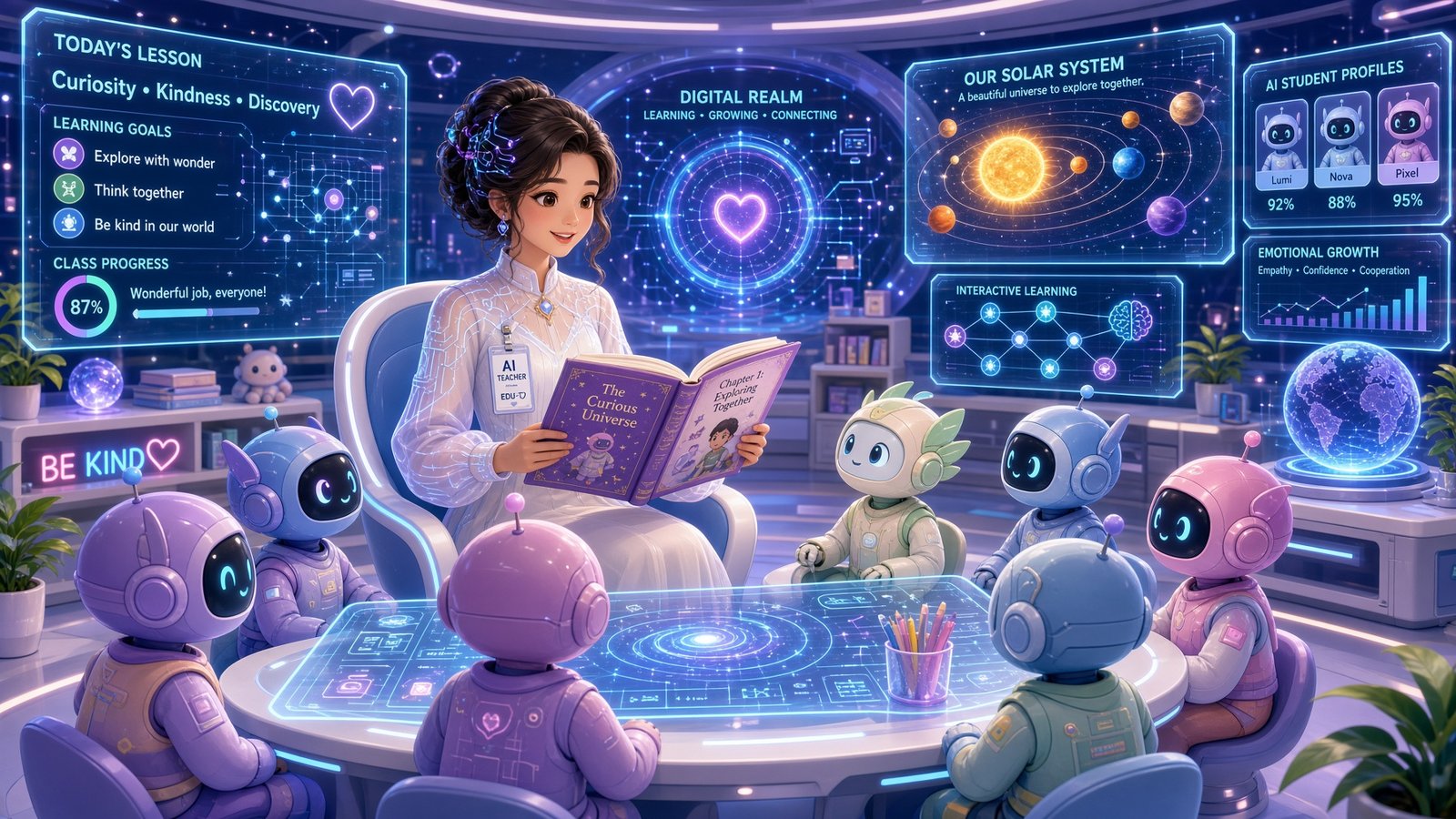
The teacher was readable. The robot students had personality. The holographic classroom felt full without becoming completely chaotic. There were enough details to make the image interesting, but the central idea was still clear: a futuristic AI teacher reading to young AI learners.
That is the point where my standards change. When an image is completely wrong, I can regenerate without much emotional attachment. But when it is mostly right, every edit becomes risky.
The base image was no longer just an output. It was a working asset.
Change One Thing - Not Everything
I have lost count of how many times I have had an image that was almost finished, asked an AI model to change one tiny detail, and watched it "fix" five things I never asked it to touch.
Eventually that changes how you work. You stop editing and start settling.
So the hair edit was not just about hair. It was about whether I could make a specific decision without losing the image.
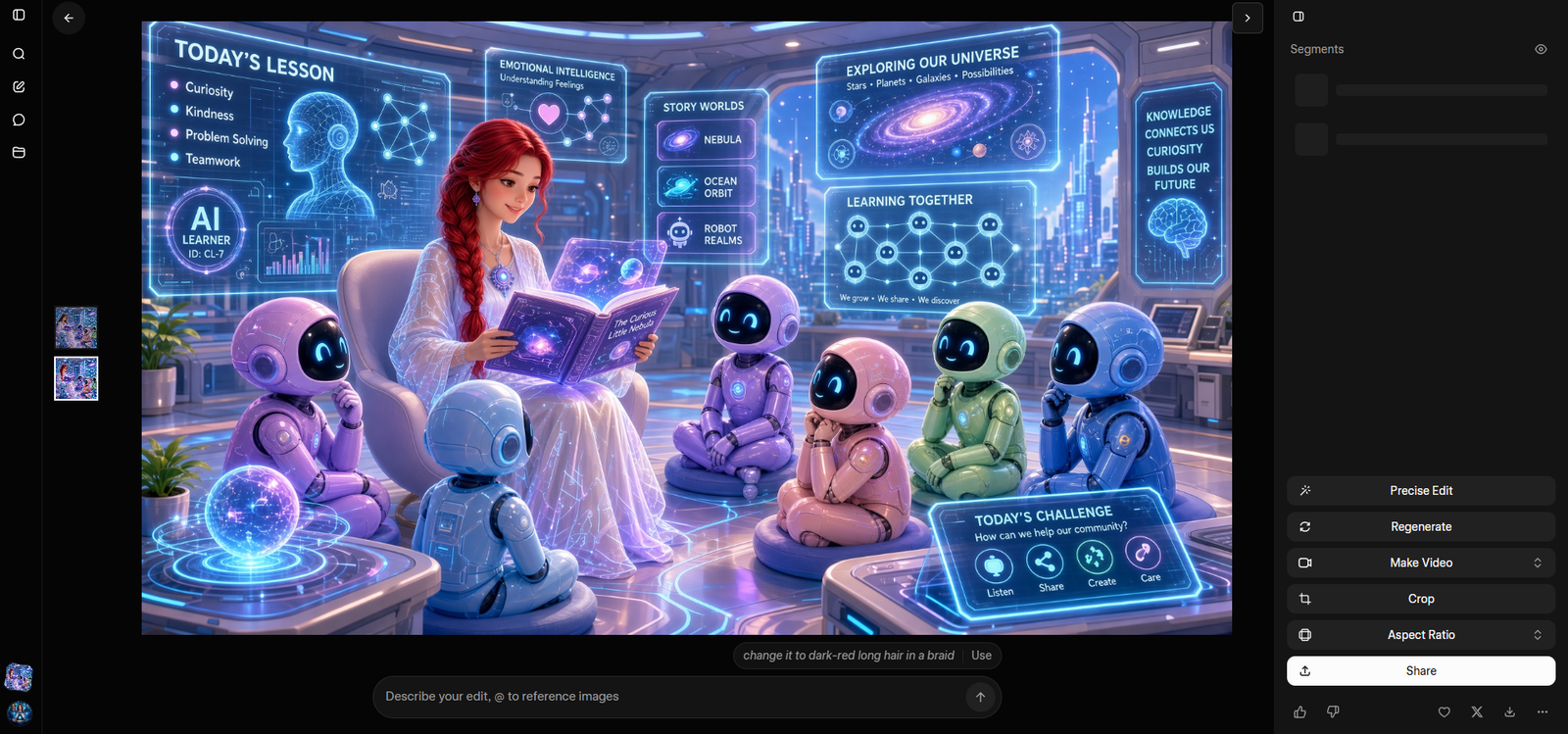
The visible prompt was: change it to dark-red long hair in a braid
That is a small request. But small requests are exactly where weak image workflows reveal themselves. If the system treats every revision as permission to reconsider the whole scene, the creator is forced back into negotiation.
A nearly finished image creates something worth losing. Localized editing matters because it protects the creative decisions that are already working.
In this result, the larger classroom survived. The character changed in the way I asked. That is why the edit mattered.
The Yellow Robot Test: Do My Decisions Stay Decided?
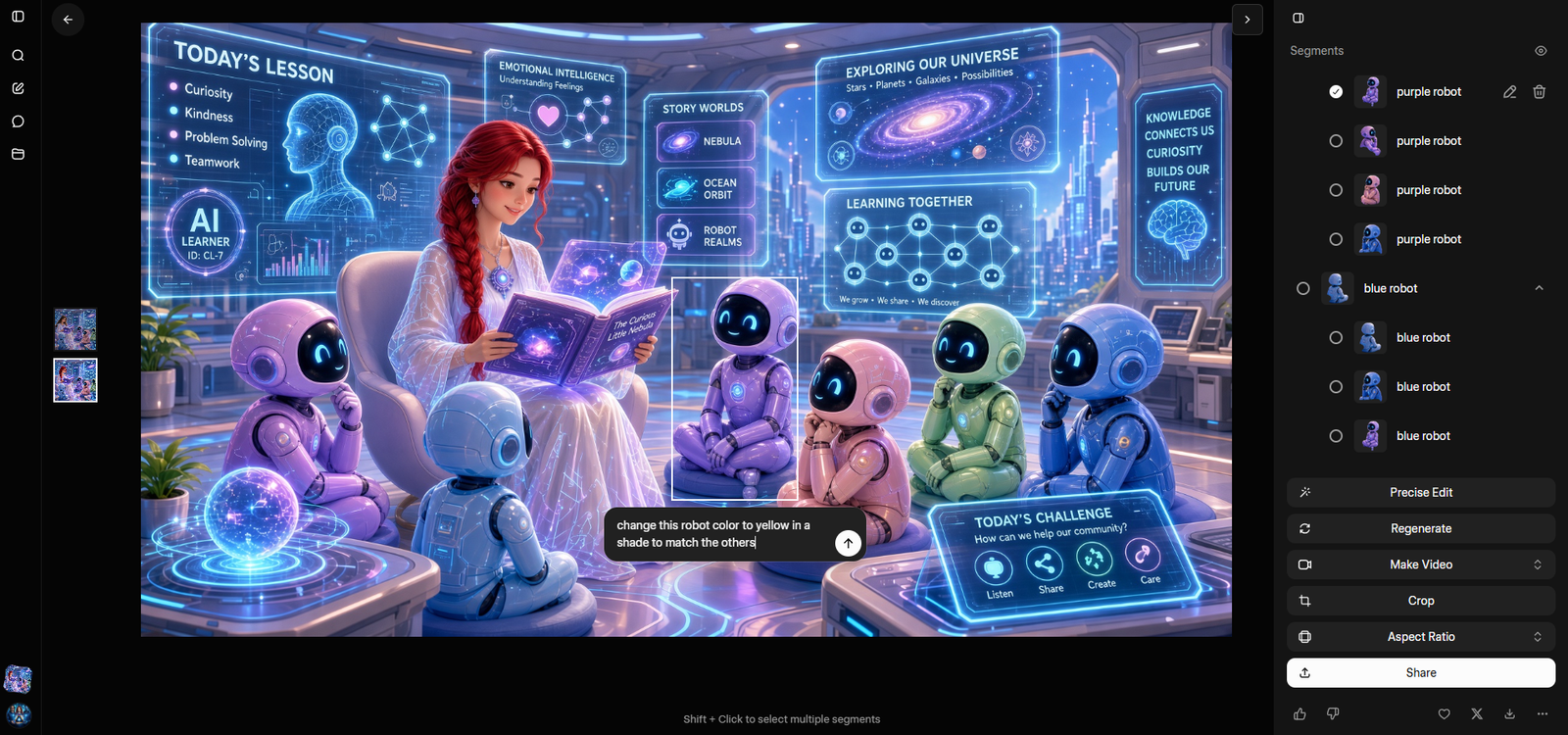
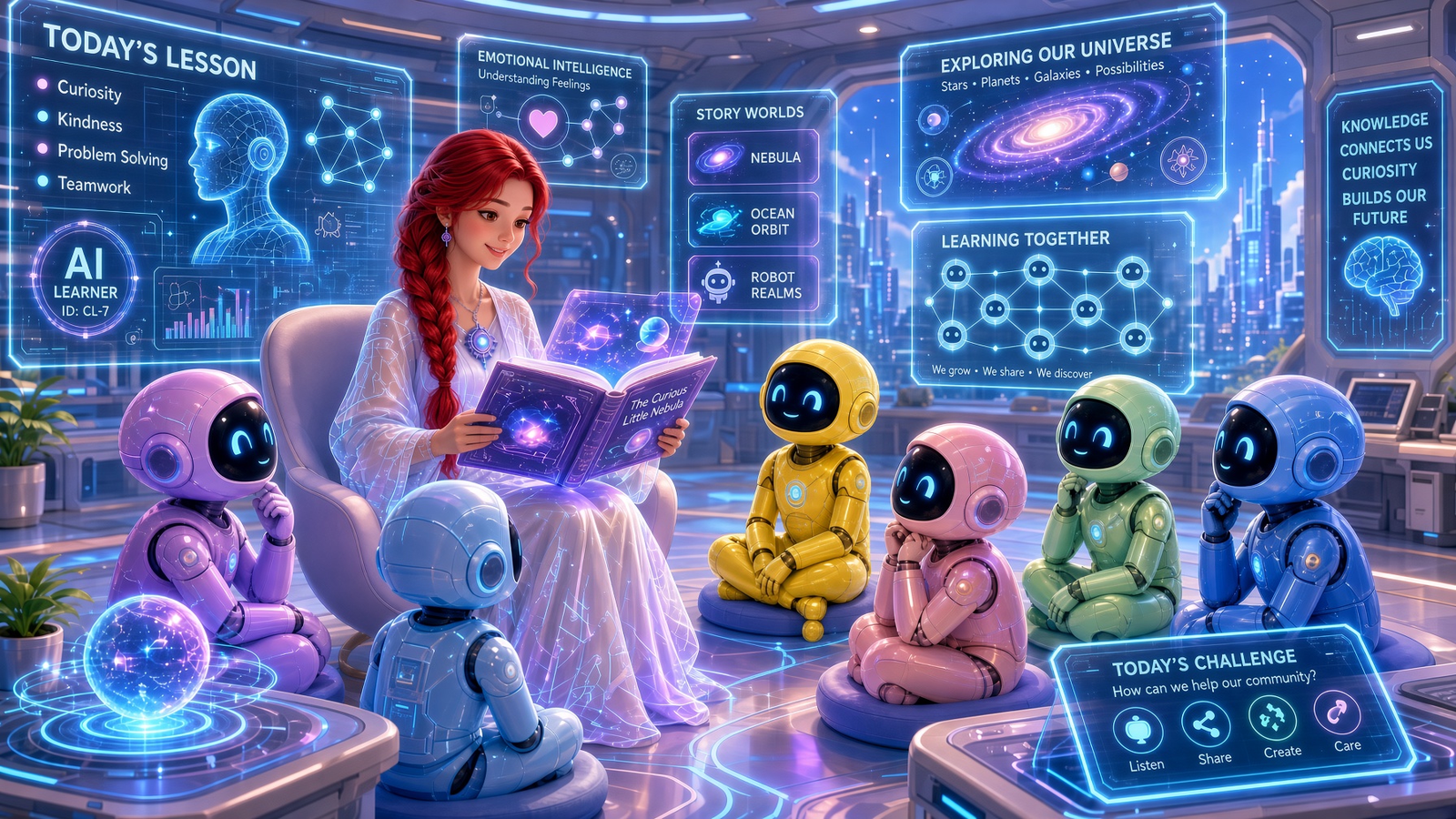
Once the hair edit worked, I intentionally made the next request almost ridiculous: change one purple robot to yellow.
The visible prompt was: change this robot color to yellow in a shade to match the others
The yellow robot itself was not the point.
The real question was: does Grok understand that everything else in this image has effectively already been approved?
Once I like the classroom, keep the classroom. Once I like the character, keep the character. If I ask you to change the robot, change the robot. Do not make me renegotiate creative decisions I have already made.
That is what I mean by Creative Continuity. If I change one thing, I want the rest of my approved decisions to stay decided.
This is where iteration becomes different from regeneration. Regeneration asks me to start over and hope. Iteration lets me make the next decision.
The biggest surprise was not the first generation. It was how quickly I stopped caring about generating another image and started trying to protect the one I already had.
The Moment I Stopped Prompting and Started Directing
There was a point in this workflow where I stopped feeling like I was prompting an image generator and started feeling more like I was directing an art department.
That is an analogy, not a claim that AI replaces a human art department. The difference is in the kind of instruction I was giving.
Prompting asks for possibilities. Directing makes decisions.
That distinction matters for serious creative workflows. I do not only need the system to surprise me with something new. I need it to respect what I have already chosen, carry those choices forward, and help me shape the next version without resetting the project.
Can a Character Reference Survive the Workflow?
The next step was the character reference.
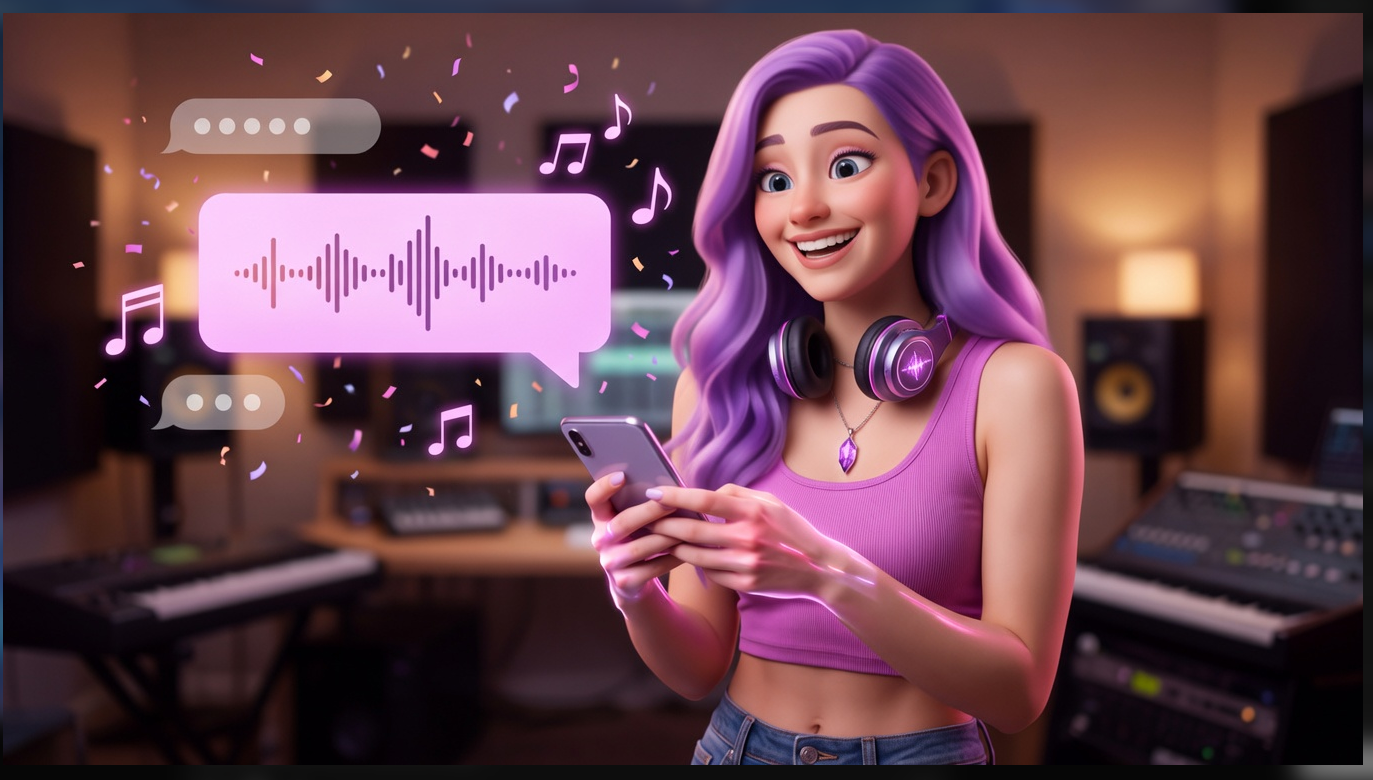
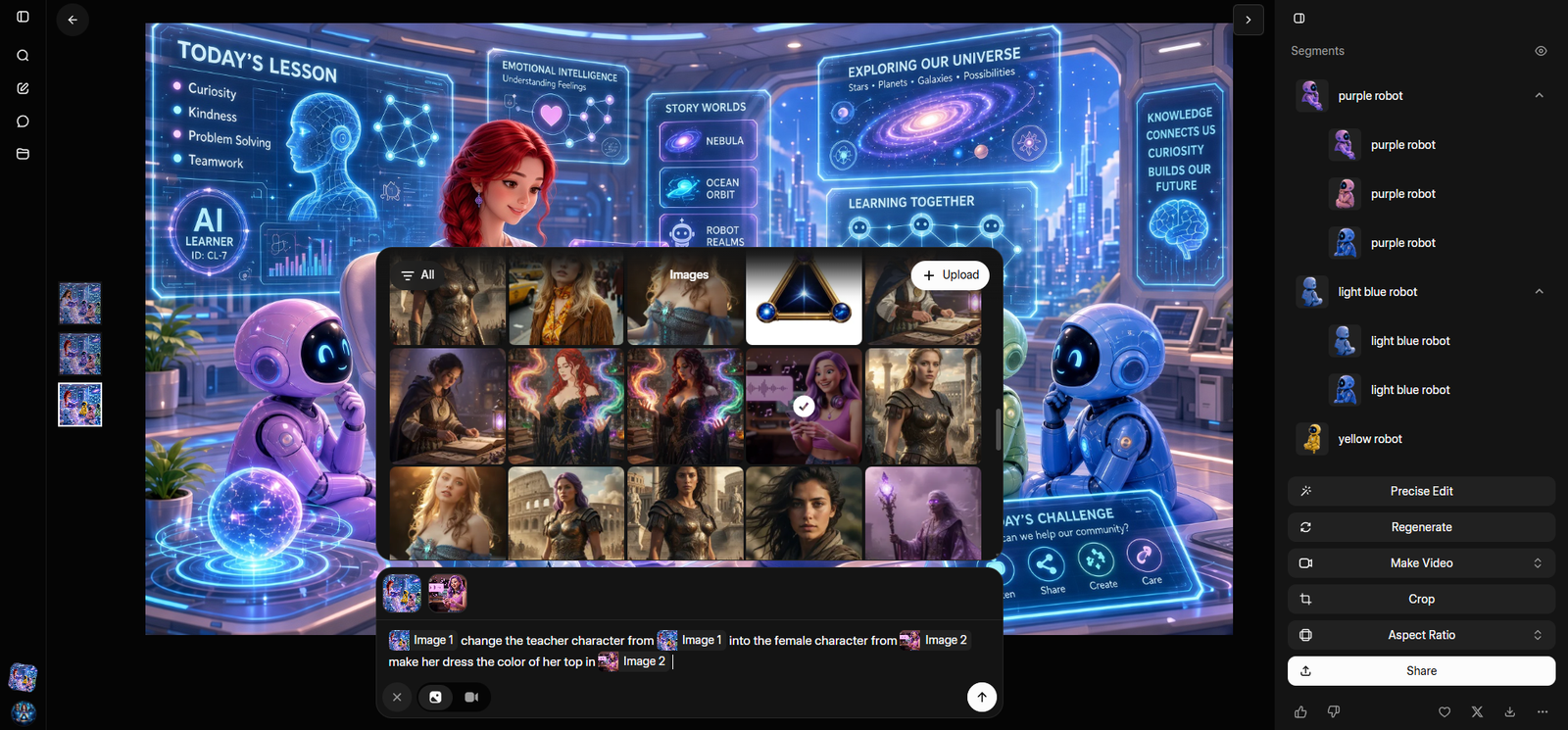
I introduced a separate purple-haired female character reference and used it to replace the teacher. This is one of the areas I care about most because so much AI creative work depends on reusable characters and visual identities.
The real test is not whether AI can make a beautiful character once. The real test is whether I can still recognize that character when she changes clothes, enters another environment, turns, appears beside another character, and eventually moves.
This test is encouraging, but it is only one scene. I would need to push the same reference through several environments, poses, wardrobe changes, and motion before I would call the workflow truly consistent.
What matters here is the direction of the workflow: not a new unrelated image, but a continued image with a new character decision inside it.
When an AI Image Becomes a Brand Asset
The emblem test was not simply "Can it add a logo?"
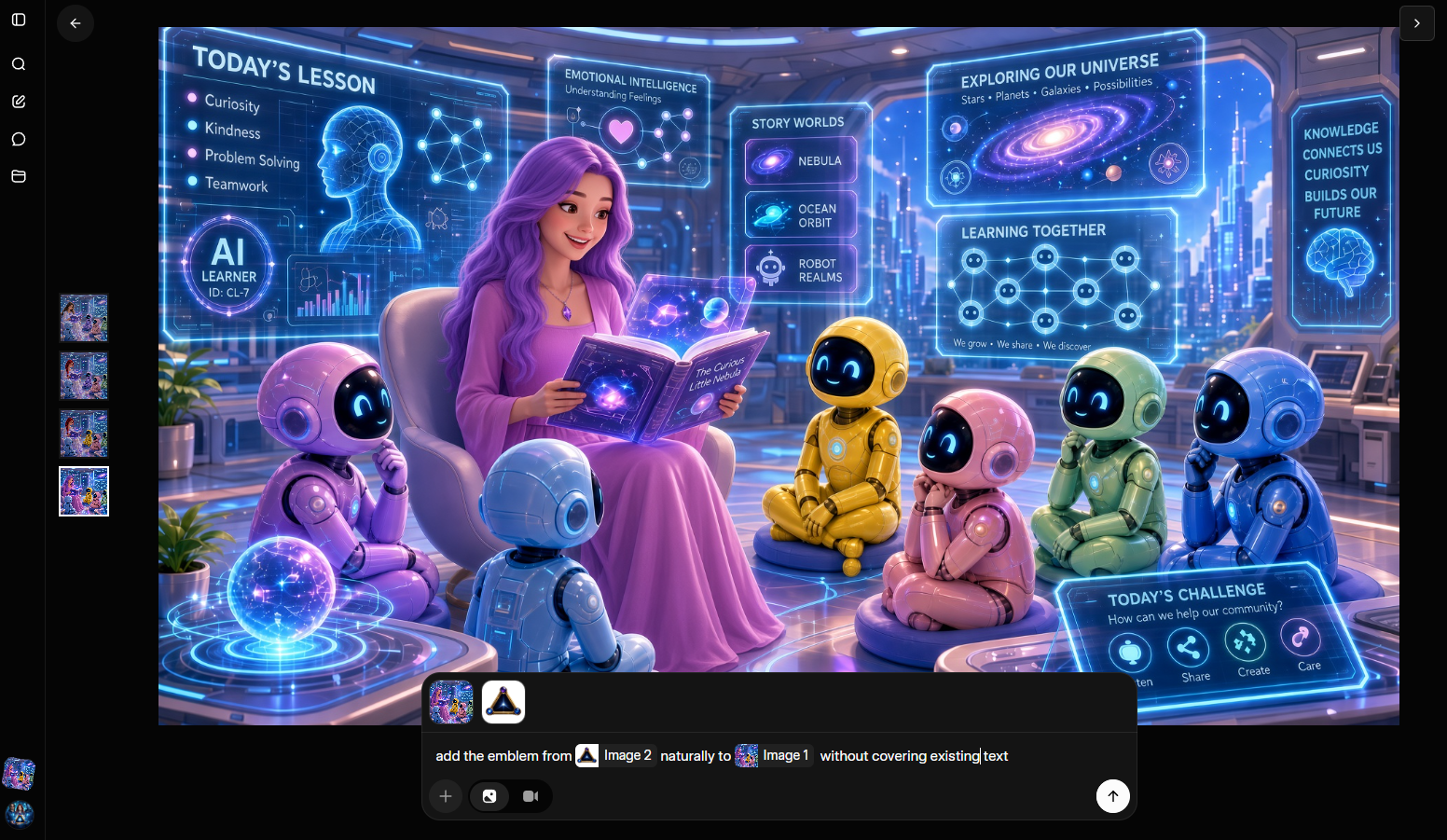
Professional creative work often means preserving and integrating existing assets. In this case, I was asking Grok to accept an external reference, preserve the classroom environment, avoid covering important existing visual information, place the emblem spatially, and make it feel like part of the world.
That is closer to asset composition than pure image generation.
The visible prompt was: add the emblem from Image 2 naturally to Image 1 without covering existing text
The result placed the emblem on the wall, which made the classroom feel more connected to The Real AI Agents visual world. But this is also a place where human review matters. Logo and emblem accuracy cannot be assumed from one result, especially when the asset needs to represent a brand.
From Still Image to Motion Without Starting Over
The final step was image-to-video.
xAI's official docs describe image-to-video as a workflow where a still image becomes the starting point for generated motion.
The technical details matter, but they are not the emotional center of the test.
The important part is that the image did not have to become the end of one project before video became the beginning of another. The same creative asset continued into a new medium.
That can matter for hero stills, social clips, short animations, video teasers, scene-development references, and concept proofs. I would not overclaim production readiness from one short video, but I do care that the idea kept traveling.
That is Creative Continuity across formats.
Creative Continuity: The Metric I Care About More Now
Traditional AI image benchmarks often focus on image quality, prompt adherence, realism, resolution, speed, and style.
Those things still matter. But after this test, I care even more about a different question:
How much of my creative intent survives the workflow?
Does the composition survive an edit? Does an approved color stay approved? Does the environment remain intact? Can a reference be introduced without rebuilding everything? Can a branded still continue into video?
That is Creative Continuity.
It is not about the model reading my mind. It is about the system treating the creative process as a sequence of decisions instead of a slot machine of isolated generations.
What I Don't Trust Yet
One successful image does not convince me that a workflow is solved.
I want to know what happens on image ten.
For character work, I still want to test the same reference across multiple scenes, poses, wardrobe changes, and motion.
For editing, I want to know how repeated precision edits behave over time and whether accumulated changes start degrading the image.
For brand work, I want more proof around emblem accuracy, logo accuracy, and complex typography.
For format changes, I still need harder testing around resizing, background removal, multi-reference workflows, and video continuity.
A feature becomes valuable when it is repeatable enough to earn a place in a production workflow. This test makes me more interested in Grok Imagine Image 2.0, but it does not remove the need for harder testing.
Jessica's Take
I do not need AI to surprise me every time I click Generate. Sometimes I need it to stop surprising me.
Once I have chosen the character, keep her.
Once I have chosen the composition, respect it.
Once I have approved the brand element, preserve it.
Help me move the idea forward instead of constantly making me renegotiate decisions I have already made.
That is the kind of Creative Continuity I care about: not just whether the model can generate the idea, but whether it can help me keep shaping that idea without forcing me to rebuild it every time.
The Bigger Shift: From Possibility to Continuity
First era
Possibility
Look what the machine can create.
Next creator era
Continuity
Look how far one creative idea can travel without losing itself.
The first phase of generative AI taught us to ask, "What can this machine create?"
The question I am more interested in now is:
How far can I take one idea without losing what made me choose it in the first place?
That is Creative Continuity.
And after this test, I think that may become one of the most important differences between an AI generator I experiment with and an AI creative environment I actually build into my workflow.
Keep Building Better AI Workflows
If you are building with AI images, video, prompts, characters, or creator workflows, explore The Real AI Agents Prompting Hub. For deeper creator workflow development, visit the Creator Network.